 Waypoint Mentor
Everything your tutor can do
A voice tutor you can interrupt, a whiteboard that shows every step, simulations you can drag, and the study tools to keep going after the session. Here's a look inside the app.
A tutor you talk to, not type at
Press Start talking and just talk. It's a real conversation: interrupt whenever you're lost, ask why, or ask for a step again.
- Always listening once you start, so you never press a button to speak
- Talk over it to stop it mid-sentence, like you would a person
- Keeps explaining while it builds a whiteboard, so there's no dead air
- Prefer typing? The same tutor works in the chat box
Learn in your own language
Just press Start talking and talk in your own language. The tutor understands you and replies in the same language. Same tutor, same whiteboard, no translating in your head while you're trying to learn.
You can also set a preferred language in your profile.
- English
- Spanish
- French
- German
- Portuguese
- Hindi
- Sinhala
- Japanese
- Korean
- Mandarin
- Arabic
- and many more
Every step on a live whiteboard
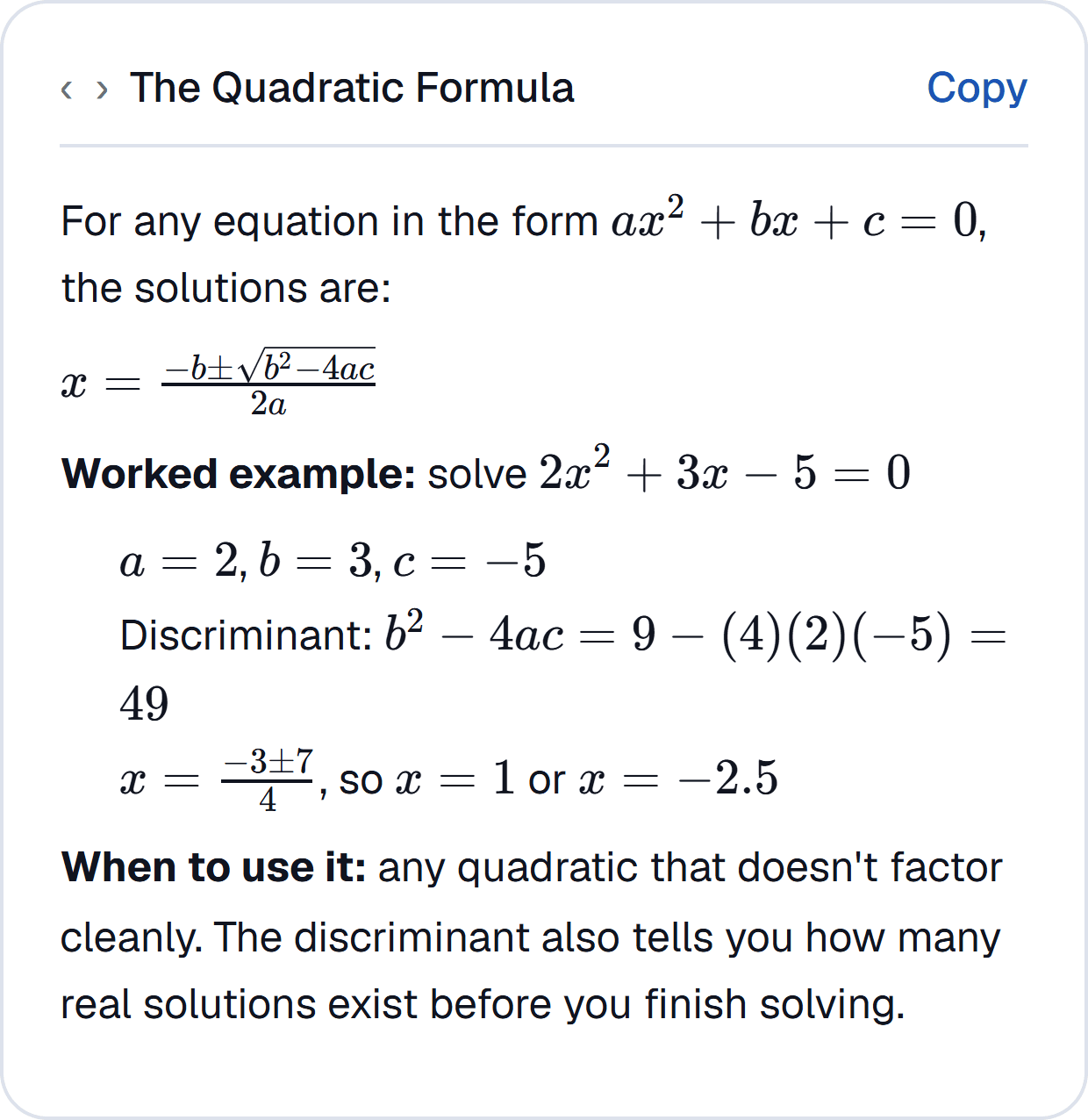
As it explains, the tutor writes the working on a whiteboard, typeset like a textbook, one step at a time.
- Proper maths: fractions, integrals and units typeset cleanly, never as raw symbols
- Notes, tables, worked steps, practice questions and molecule models
- Numbers are checked with real code before the tutor says them
- Every whiteboard is saved, searchable, exportable as a PDF and shareable with a link
Simulations you can drag
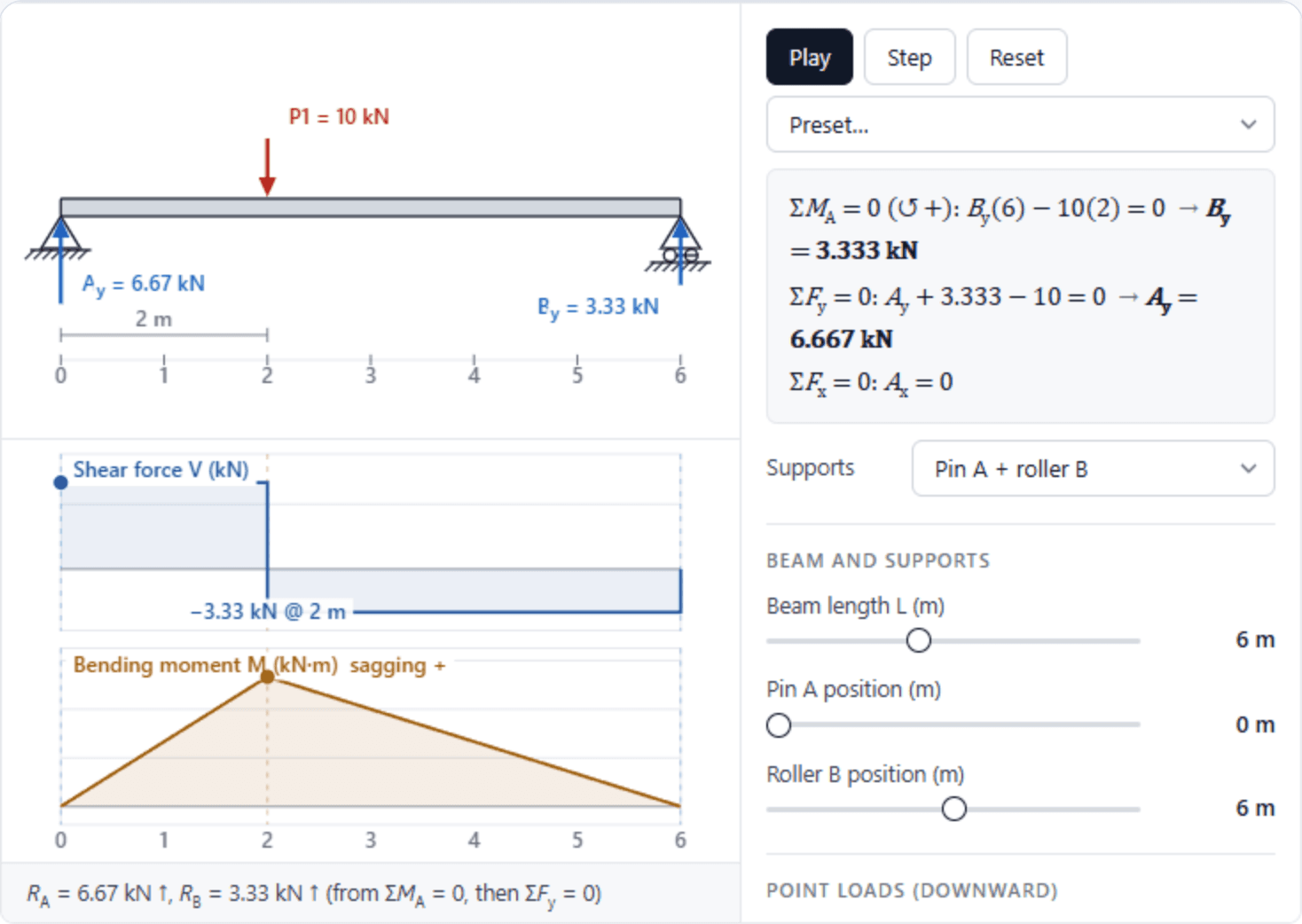
When an idea is easier to see than to say, the tutor opens a simulation: beams, trusses, slopes, levers, graphs and distributions.
- Each one checked by hand before any student sees it
- Change a value and every number and diagram updates
- Full screen for the detailed ones
Answers from your own course
Plus and PremiumUpload your lecture slides, PDFs and notes to a course. The tutor answers from your material and points you to where the answer came from.
- Up to 15 files on Plus and 40 on Premium
- Citations back to the source
- Flashcards and quizzes made from your own material
Flashcards that space themselves
Make flashcards from any topic or your own notes, then review them with spaced repetition: rate each card Again, Hard, Good or Easy and it comes back at the right time.
- Generated in seconds, with proper maths and pictures where they help
- A daily due count across every course
Practice quizzes that explain themselves
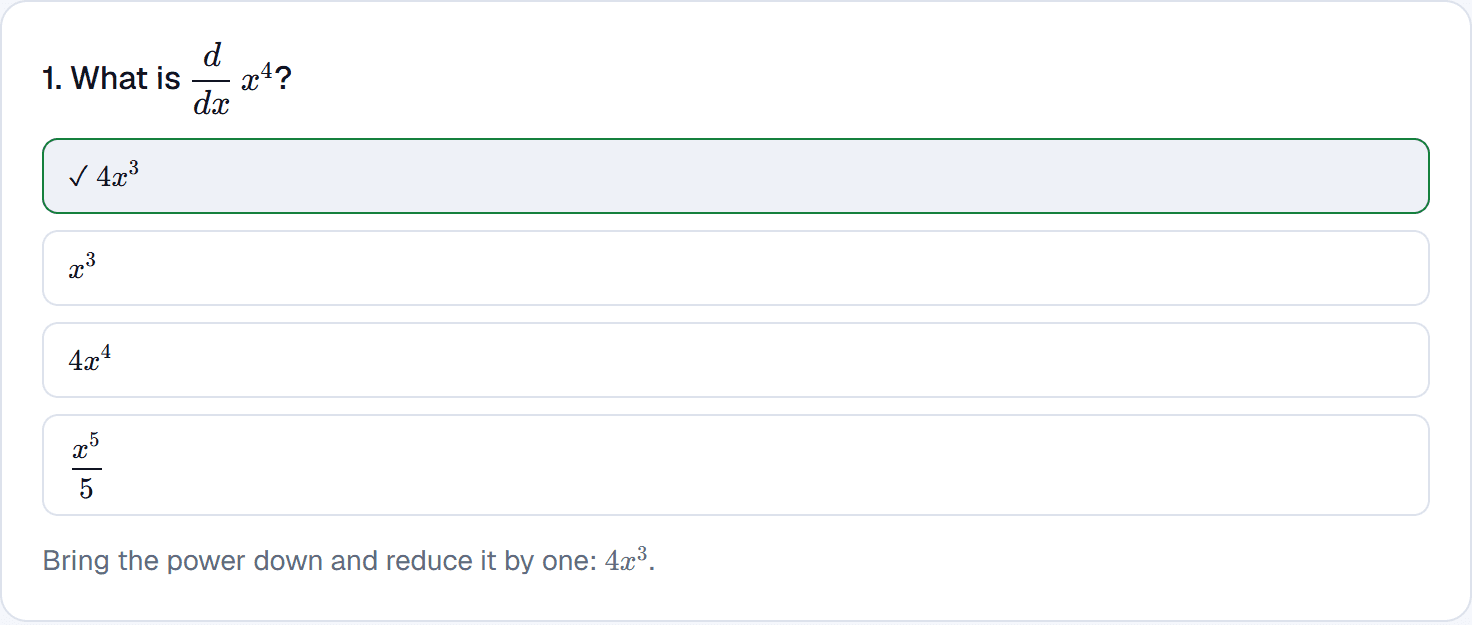
Quick multiple-choice quizzes on any topic, marked straight away, with the reason behind every answer.
- Saved as soon as they're made, so you can come back to them
- Results kept, so you can see what to go over
A tutor that remembers you
Waypoint Mentor keeps track of what you've got solid and what you're still working on, and starts the next session from there.
- A mastery map of the topics you've covered
- Teaching styles: explain it, quiz me, or Feynman-style plain language
- Exam mode: a revision plan in your tasks, with reminders
Your whole study setup in one tab
Courses, tasks, goals and grades sit next to the tutor, so you're not piecing your study setup together from five apps.
- Tasks and deadlines per course
- Goals, academic or personal
- A grade tracker that works out your average in your own grading system
- Marking feedback on your assignments
Free, before you even sign up
Worked lessons with simulations and quick checks, and calculators that show the maths. No account needed.
Try it on whatever you're stuck on
10 voice minutes a month, free, with no card.